User-friendly Website “Skyscanner”

USER GUIDE

How to Find a Cheap Flight on Skyscanner.net

A step-by-step illustrated guide for someone who has never used a flight-search website before — 10 simple steps from opening the site to choosing your flight.

Website: www.skyscanner.net

What is Skyscanner?

Goal: teach someone with no prior experience how to search for and select the cheapest available flight.

It’s a search engine

Skyscanner doesn’t sell tickets itself — it compares prices from airlines and travel agencies and shows the best deals.

Simple to use

Enter where you’re flying from, where to, and your dates — the site finds dozens of flights in seconds.

Free for travelers

The service is free to use — Skyscanner earns a commission from partners, not from your ticket price.

STEP 1 OF 10
1

Open the Skyscanner website

In your browser, go to www.skyscanner.net. The homepage will load with a flight search form — this is your starting point for any search.
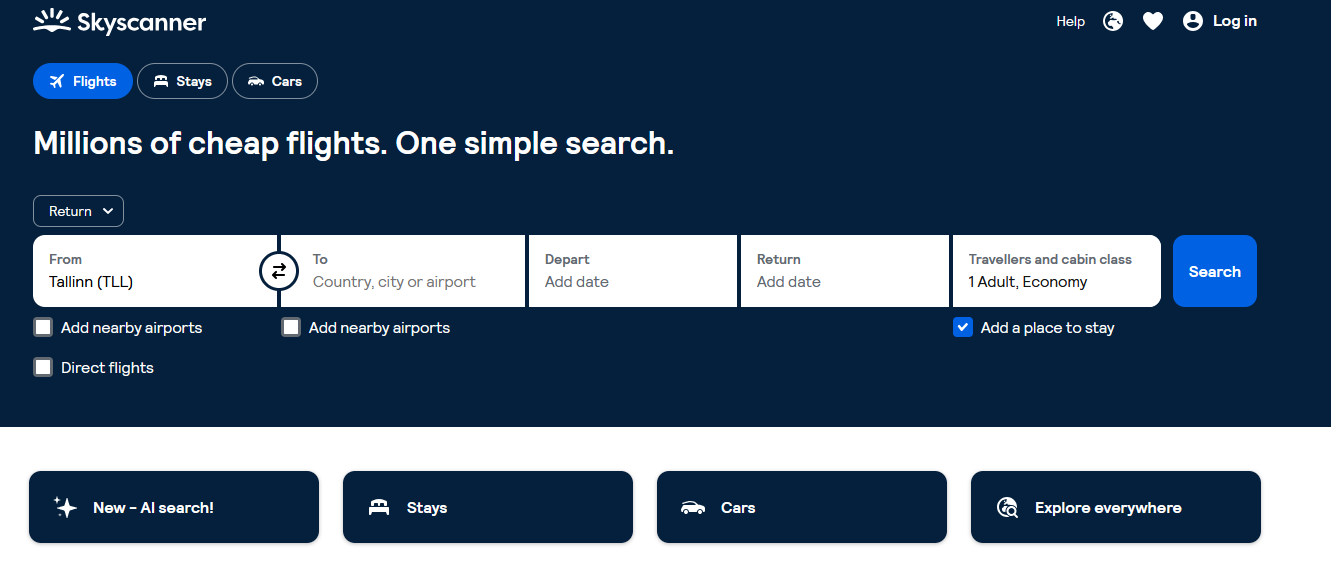
Step 1 screenshot
Tip: Bookmark the site if you plan to search for flights regularly.
STEP 2 OF 10
2

Check the “Flights” tab

Make sure the “Flights” tab is selected at the top of the page. You’ll also see tabs for hotels and car rental — we only need the first one.
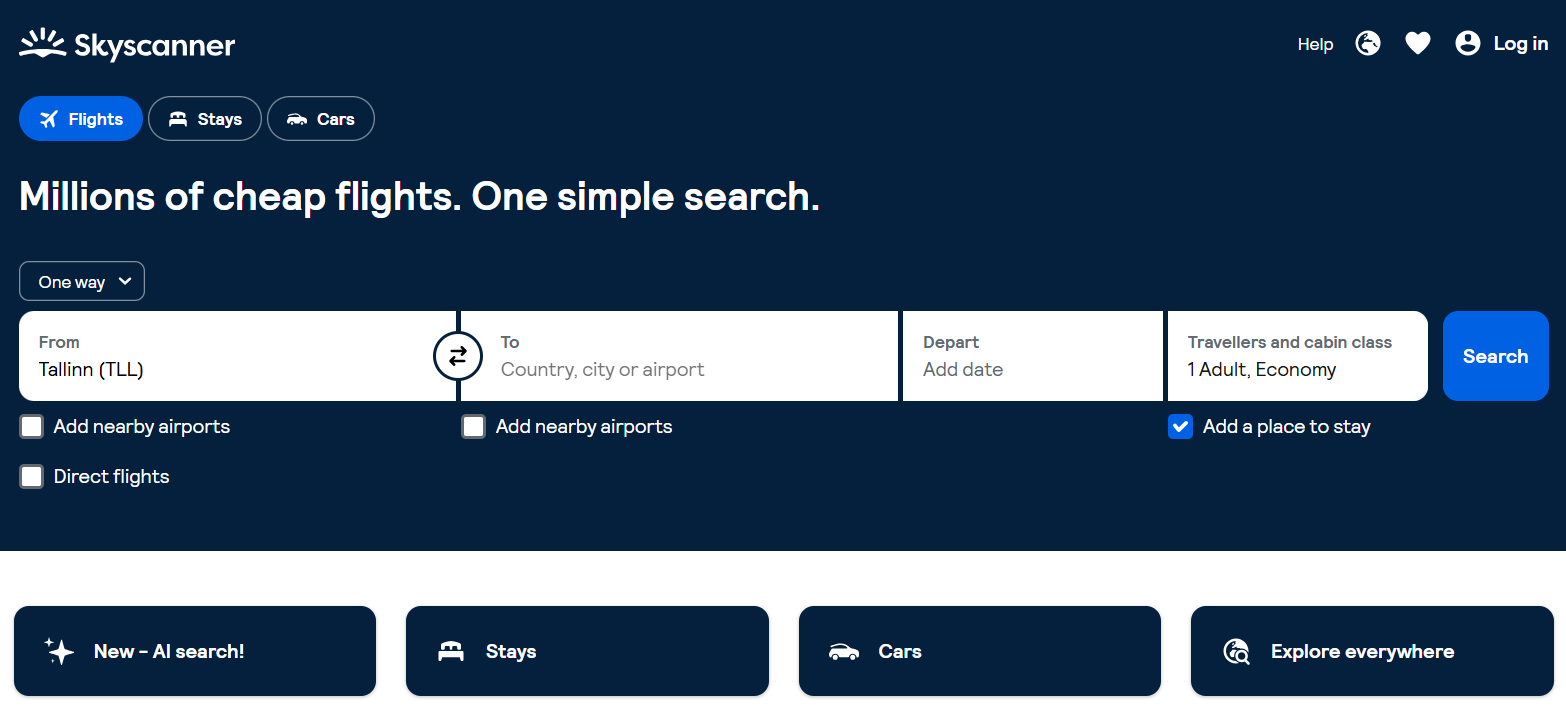
Step 2 screenshot
Tip: You’ll use the other tabs only if you also want to book a hotel or rent a car.
STEP 3 OF 10
3

Enter your departure city

Click the “From” field and type the name of your city or airport. The site will suggest matching options — pick the right one from the list.
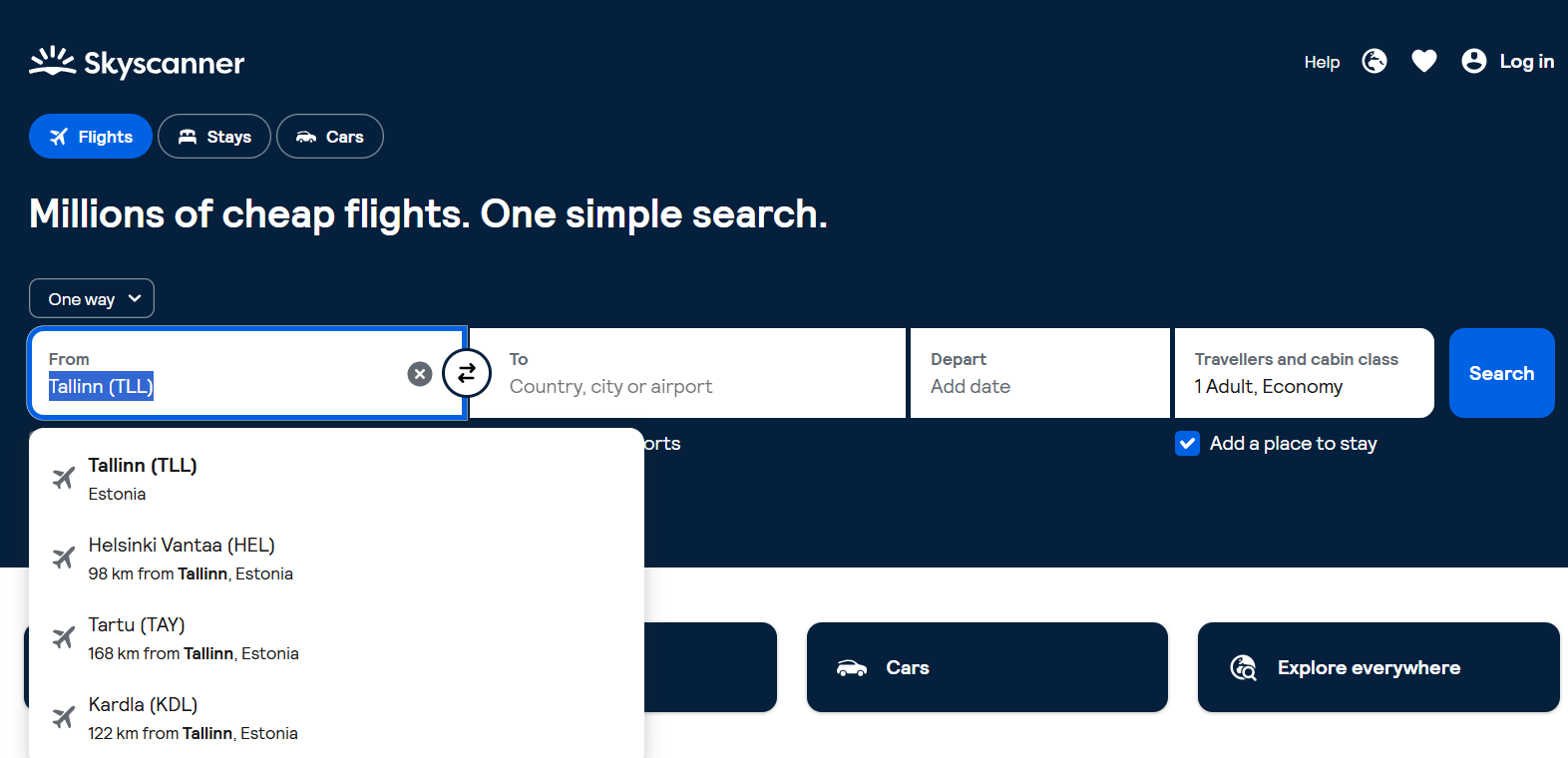
Step 3 screenshot
Tip: You can choose an entire city — Skyscanner will then search flights from all of its airports.
STEP 4 OF 10
4

Enter your destination

In the “To” field, type the city you want to fly to. If you don’t have a specific destination in mind, select “Everywhere” instead.
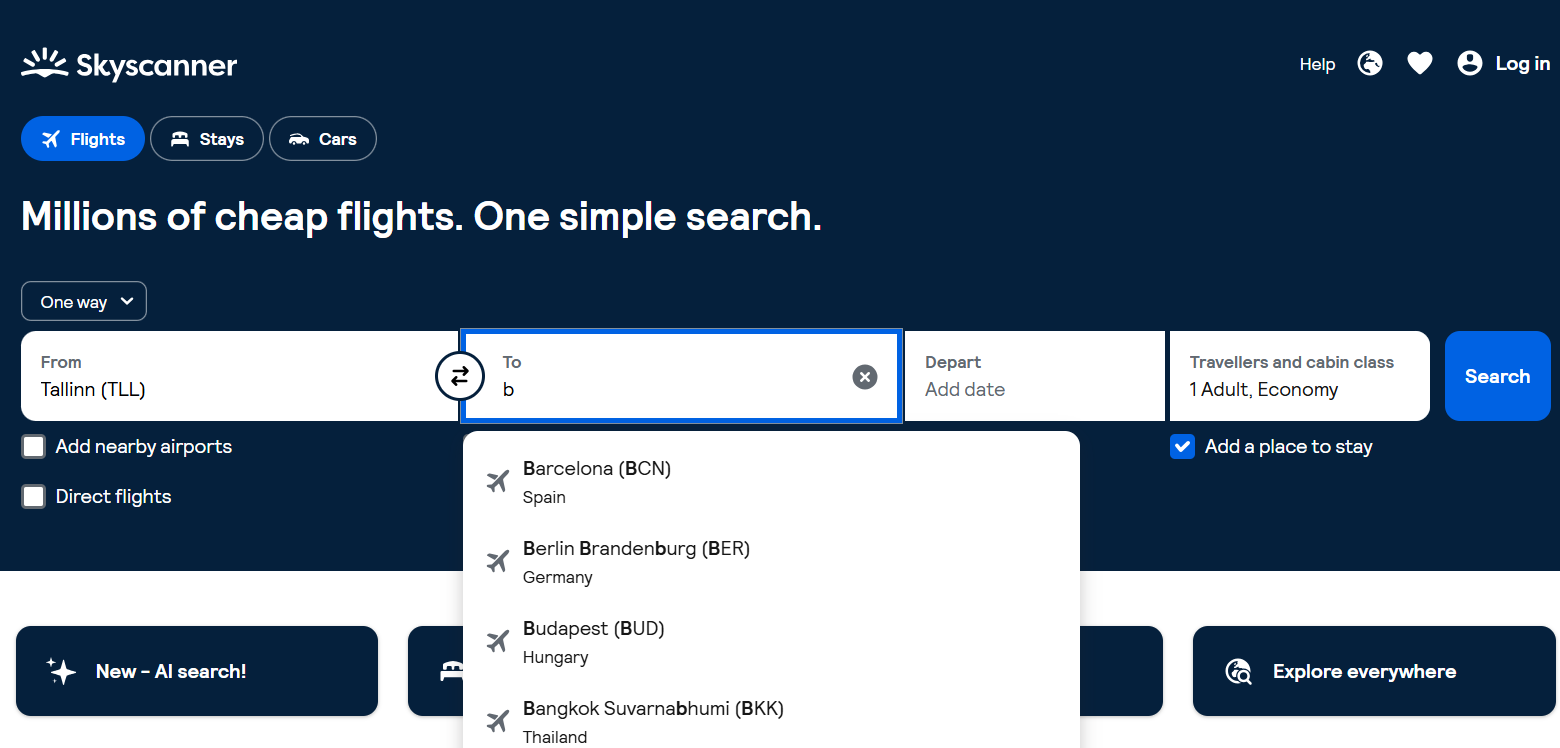
Step 4 screenshot
Tip: “Everywhere” sorts destinations from cheapest to most expensive — great for spontaneous trips.
STEP 5 OF 10
5

Choose your travel dates

Click the calendar and select your departure date (and return date, if needed). Pick exact dates or choose “Whole month” to see the cheapest day to fly.
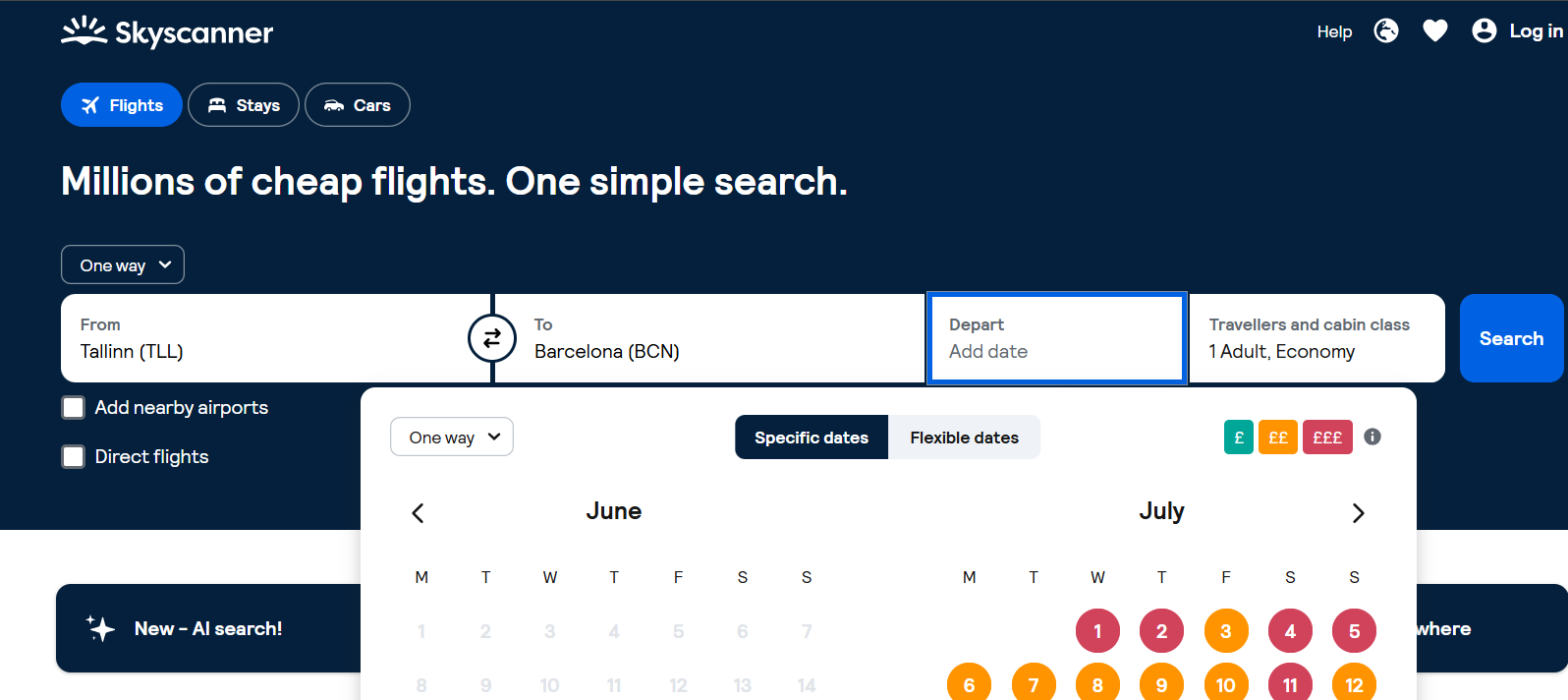
Step 5 screenshot
Tip: The “Cheapest month” option helps find the best-value period if your dates are flexible.
STEP 6 OF 10
6

Set passengers and travel class

Click the passengers field and choose the number of adults, children, and infants, plus your travel class: Economy, Premium Economy, Business, or First.
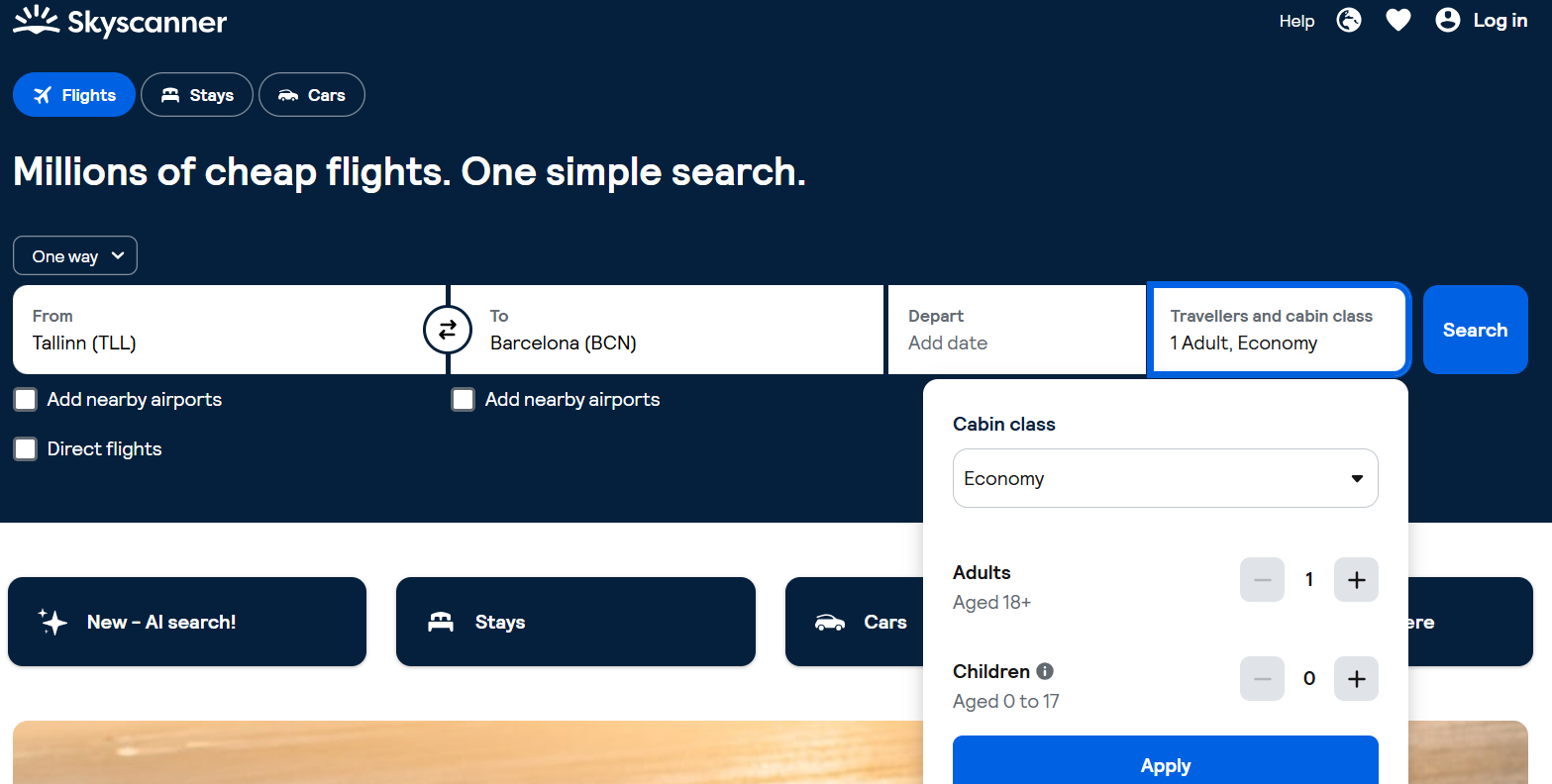
Step 6 screenshot
Tip: Business class requires exact dates — flexible searches only display Economy fares.
STEP 7 OF 10
7

Click “Search flights”

Double-check everything you entered, then click the large search button. Skyscanner will scan dozens of airlines and agencies at once.
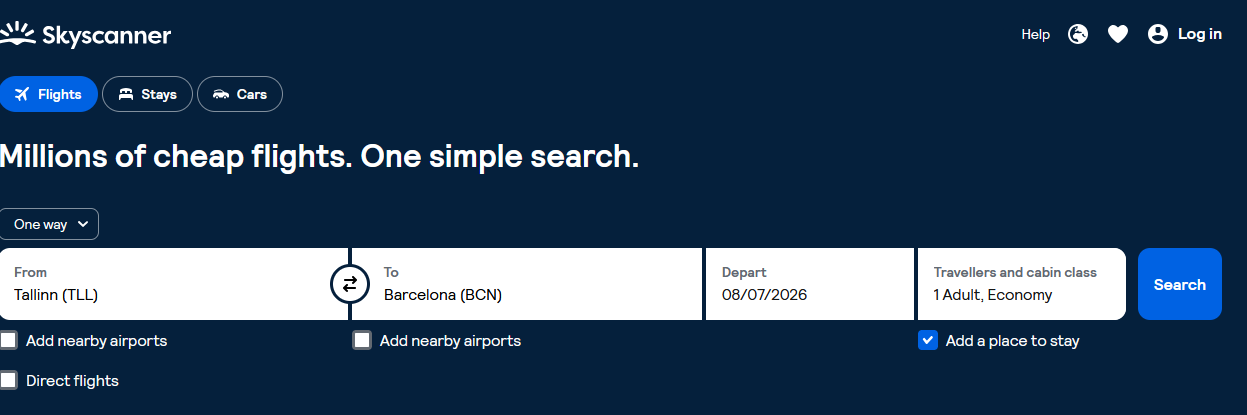
Step 7 screenshot
Tip: The search only takes a few seconds — results appear progressively as they’re found.
STEP 8 OF 10
8

Sort the results

On the results page, use the sorting options: “Best”, “Cheapest”, or “Fastest” — this helps you quickly find the option that suits you.
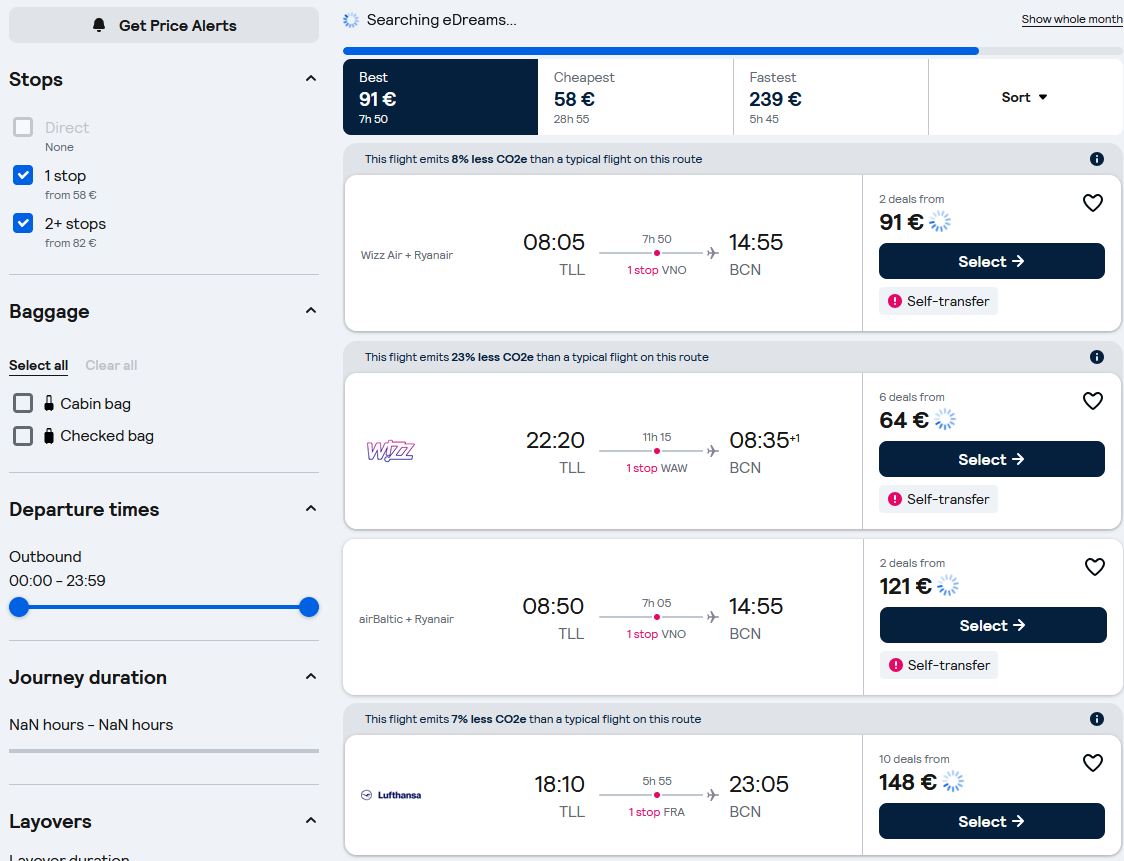
Step 8 screenshot
Tip: “Best” balances price and travel time together.
STEP 9 OF 10
9

Apply filters

On the left side of the page, use filters for number of stops, specific airlines, departure time, airports, or even “Greener choice” flights with lower CO₂ emissions.
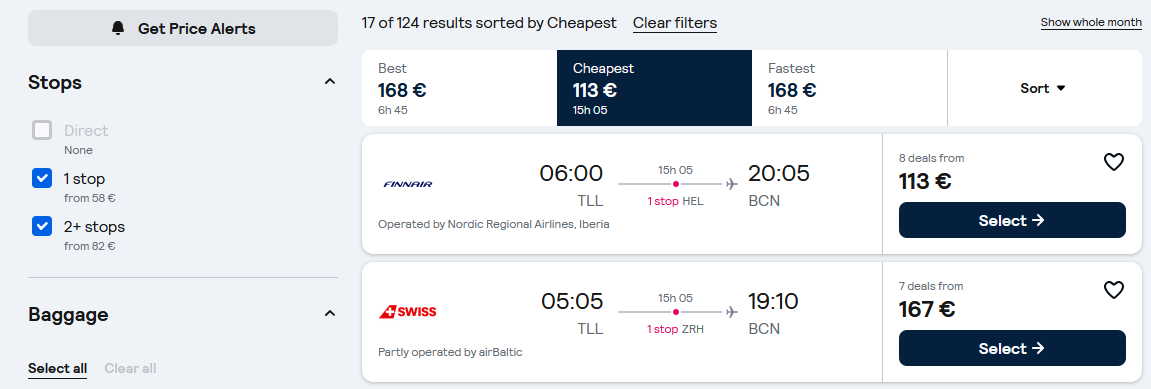
Step 9 screenshot
Tip: The “Direct flights only” filter significantly shortens the list and your search time.
STEP 10 OF 10
10

Select a flight and book

Click “Select” on the flight you want. Skyscanner will redirect you to the airline’s or partner agency’s website to complete payment and booking.
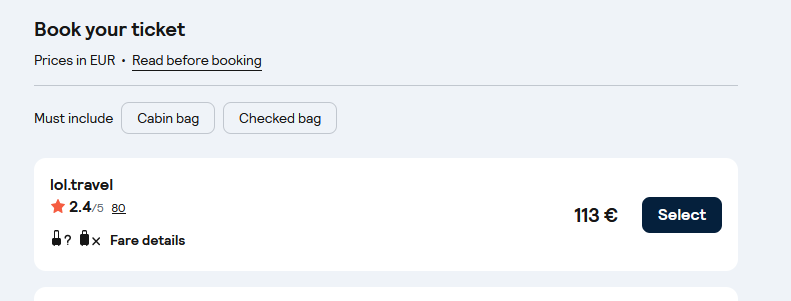
Step 10 screenshot
Tip: Before paying, check the baggage allowance on the partner’s website.

Done!

You now know how to search for and choose a cheap flight on Skyscanner.net — from opening the website to reaching the payment page.

  • 1–2 — Opened the website and the “Flights” tab
  • 3–6 — Filled in departure, destination, dates and passengers
  • 7–9 — Ran the search, sorted and filtered the results
  • 10 — Selected a flight and moved to payment
Bonus tip: Turn on “Price Alerts” to get notified whenever the price changes for your chosen route.
1 / 13